Move from LASSO to Soundcheck.
A sound production company's LASSO history is in Soundcheck: more than 2,600 gigs going back to 2017, with their shifts, crew, venues and clients, loaded with no invitation sent. LASSO exports one CSV per table, and Soundcheck reads the linked files together so each shift lands on the right gig with the right person.
What moves from LASSO to Soundcheck
- Events and schedule entries → Gigs and shifts
- Crew → Crew, with positions and rates
- Venues and clients → Venues and clients
- Event types, statuses, positions → Your labels in Soundcheck
Quote and invoice lines, payroll history and stored documents do not import.
How to move from LASSO to Soundcheck
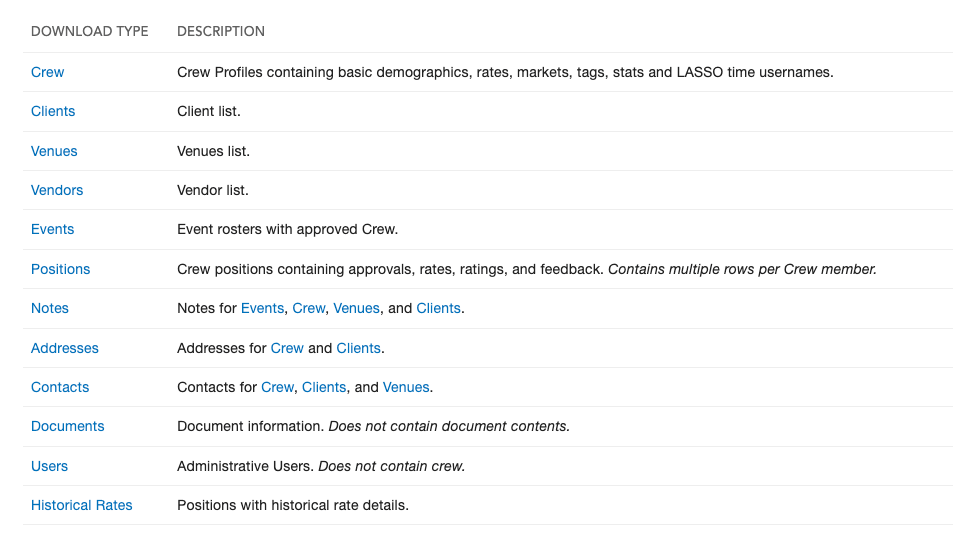
- Ask LASSO support to turn on the Export Data page for your account. It lists twelve tables; click each one to download its CSV.
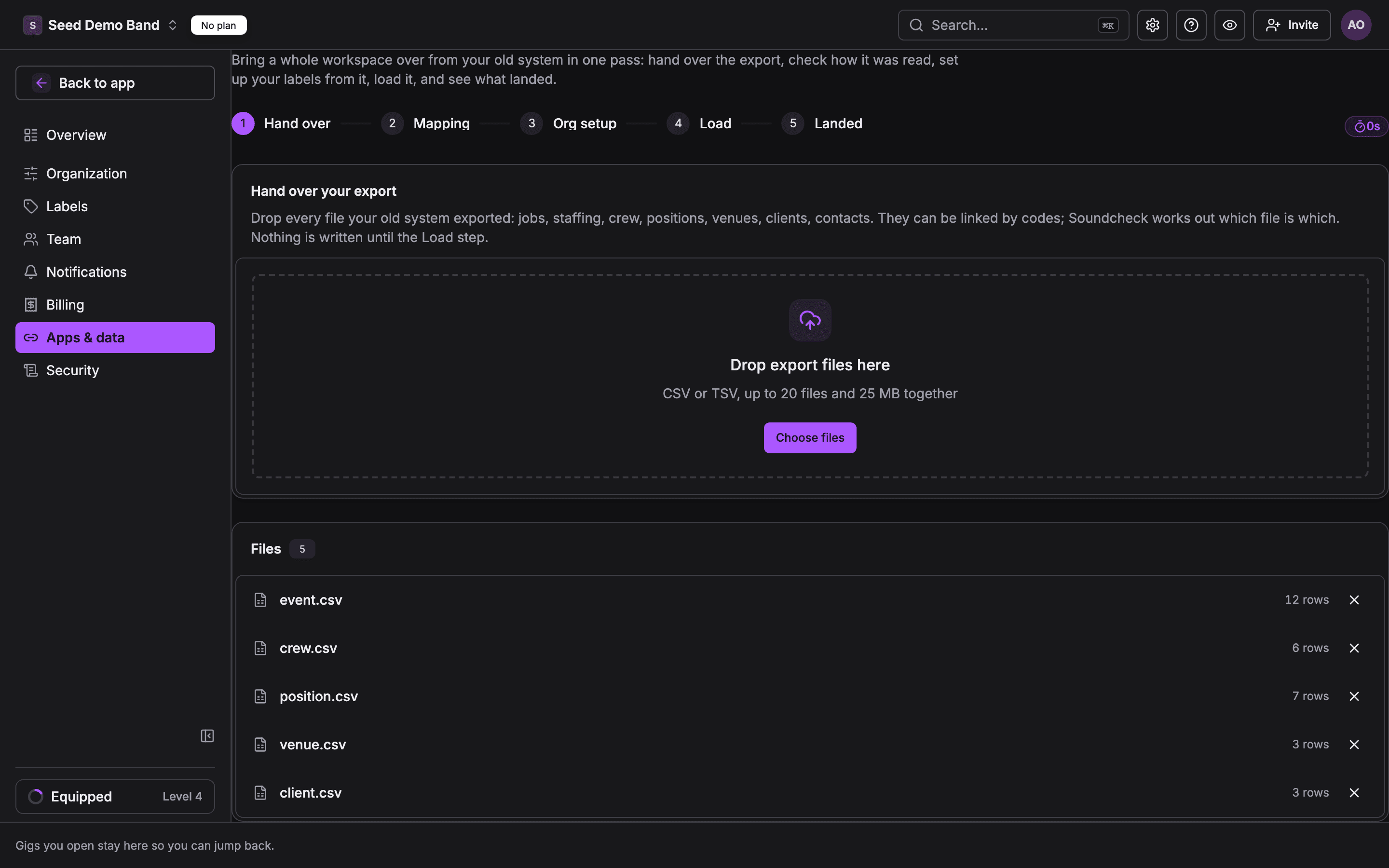
- In Soundcheck, open Settings, then Apps & data, then Import & export, and click Migrate from another system.
- Hand over: drop every export file at once, up to 20 files and 25 MB together. Set a date range to load the current season first.
- Mapping: check each file's role and where each column goes, and fix anything left unset.
- Org setup: accept, rename or skip the gig types, statuses and positions found in your LASSO data.
- Load: Soundcheck writes people first, then gigs with their venues and clients. No invitations are sent.
- Landed: compare what was in the export with what landed, then invite your crew when the organization is ready.
What to check first
- A migration never emails anyone. You invite crew afterwards.
- Each part of the load can be undone, except crew.
- LASSO exports document names, not the files. Notes, vendors and historical rates are not read by the migration page.
Questions about moving from LASSO
Can I move from LASSO to Soundcheck?
Yes. A sound production company's LASSO history is in Soundcheck: more than 2,600 gigs going back to 2017 with their shifts, crew, venues and clients. Migrate from another system reads a full multi-file LASSO export in one pass.
How do I export my data from LASSO?
Ask LASSO support to turn on the Export Data page for your account. It lists twelve tables, including Crew, Events, Positions, Venues, Clients, Contacts and Addresses, and each one downloads as a CSV. You do not need an API key.
Will my crew get emails during the migration?
No. A migration never sends invitations or notifications. You invite your crew when the organization is ready.
Can I undo a LASSO migration?
Yes. Each part of the load can be undone except crew, and records someone has edited since are kept and listed.
Do Shoflo rundowns come over?
A Shoflo rundown exports as CSV and can be mapped onto a gig's run of show. It is a separate file from the LASSO export.
Full LASSO guide in the docs · All migration paths · From HubSpot · From Flex Rental Solutions · From Back On Stage · From Planning Center · Start a free trial